Privileged Identity Management records an assignment lifecycle, while the application using that privilege may have its own session behavior. This review connects Entra directory-role eligibility, activation, approval and expiry to an application-level acceptance test and a durable audit record.
At a glance
Key findings
- Eligible, approved, active and expired describe different points in a privilege lifecycle. They should not be treated as interchangeable evidence. [1][2]
- An application's cached authorization can outlast the assignment change visible in PIM, so an expiry check must include the application. [2]
- Preserve role lifecycle records and resource-action evidence separately; neither is a substitute for the other.
Name the privilege lifecycle
“The role expires after the maintenance window” sounds like a complete control. It is only complete when the team can explain what expires, which application notices the change and what a person can still do through an existing session. A timer in an administration portal is evidence about a lifecycle, not a direct observation of every dependent application.
For this review, the scope is Microsoft Entra directory roles managed through Privileged Identity Management. It does not assume that Azure resource roles or group-based access follow an identical configuration. Start with the named directory role, the application in which it will be used and one representative privileged action that the service owner authorizes for testing.
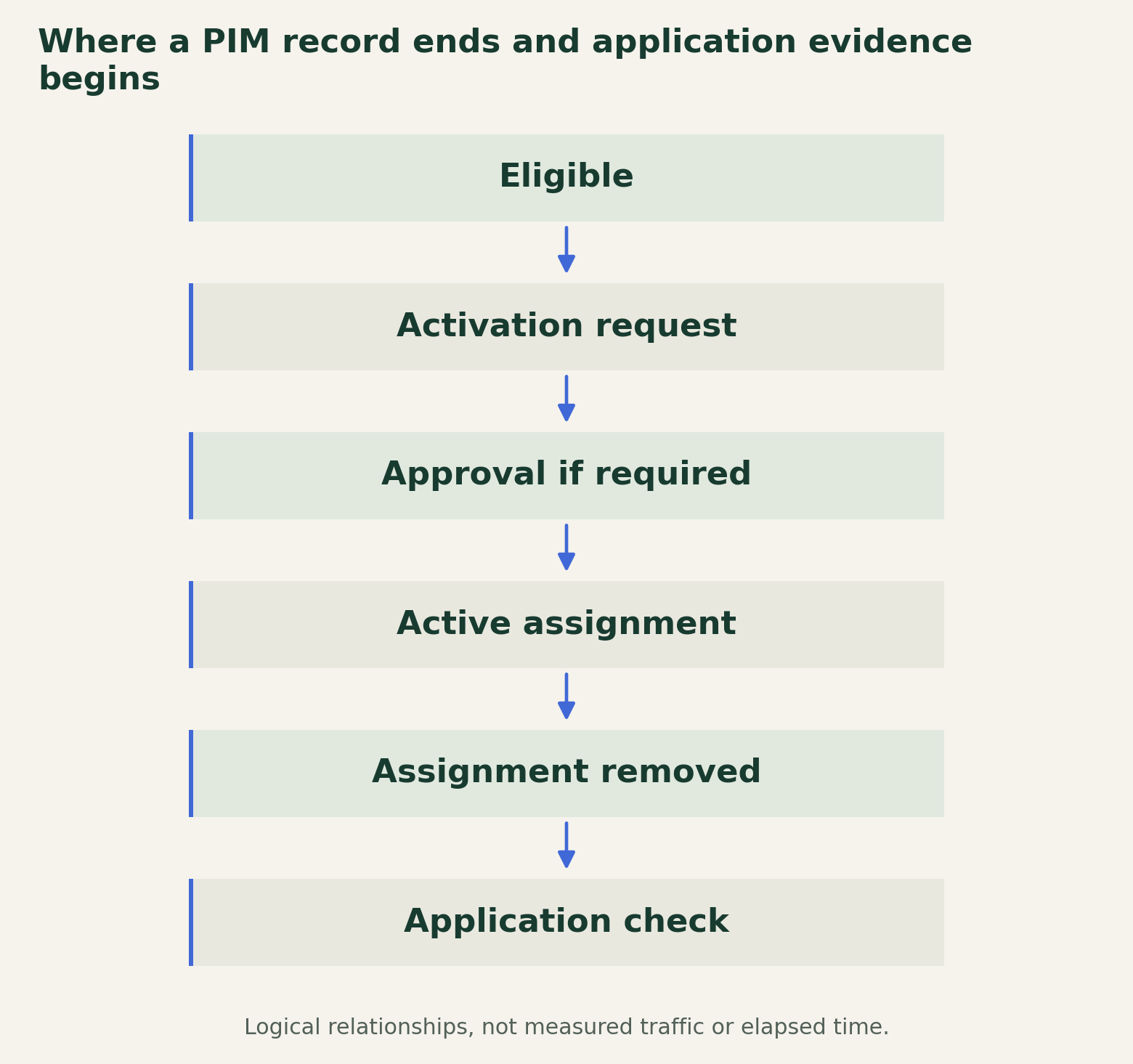
Build a small state record: eligibility established, activation requested, approval resolved where required, assignment active and assignment removed. Add a separate observation for application authorization. Keeping that observation outside the assignment timeline prevents a common reporting error: describing the administrative state as if it were a completed test of the resource.
Where a PIM record ends and application evidence begins
Treat assignment expiry and application authorization as separate observations, then reconcile their evidence.

Source. Primary documentation [1] [2] [3] [4] [5]. Accessed August 28, 2026.
Method. Original lifecycle schematic synthesized from Microsoft documentation. Assignment states and application checks are separate observations. The table distinguishes the approval window from active-role duration.
Accessible table and figure data
| Boundary | Evidence | Caveat |
|---|---|---|
| Eligibility | Assignment and scope | Does not mean active access |
| Approval | Reviewer and decision | 24-hour approval window is not session duration |
| Activation | Active assignment record | Application may cache earlier role state |
| Expiry | Deactivation plus application check | Existing and fresh sessions may differ |
| Audit retention | Export configuration and retained record | Portal history alone is limited |
| Boundary | Evidence | Caveat |
|---|---|---|
| Eligibility | Assignment and scope | Does not mean active access |
| Approval | Reviewer and decision | 24-hour approval window is not session duration |
| Activation | Active assignment record | Application may cache earlier role state |
| Expiry | Deactivation plus application check | Existing and fresh sessions may differ |
| Audit retention | Export configuration and retained record | Portal history alone is limited |
Review settings for the actual role
PIM settings apply to the role being configured and include controls such as activation duration, authentication requirements and approval. Microsoft documents authentication-context options as well as MFA-related settings. Review the effective configuration for the specific role instead of assuming that one role's settings describe every privileged role in the tenant. [1]
Translate the configuration into a maintenance decision. Who needs the role, for which task and for how long? What evidence demonstrates that activation belongs to an approved change? A justification field can capture an explanation, but the review should still identify the change record and the person accountable for it. Free text alone does not establish that the proposed work was authorized.
Record exceptions at the same level of detail as the normal case. A standing assignment, a different activation duration or an account outside the usual process should have an owner and a review condition. Do not conceal these cases inside an average duration or a count of eligible users. Their significance depends on the authority they retain and the systems they can change.
Design a usable approval boundary
The documented PIM approval workflow allows a 24-hour approval window, prevents a requester from approving their own request and does not support service principals as approvers. A decision by an approver resolves the request; this should not be described as a configurable sequence of several independent approvals. The approval window is distinct from the role's active duration. [3]
Choose approvers who can evaluate the task and respond during the operational window. If a request arrives during an incident, they need the same basic facts as during a planned change: the requested role, the intended action, the affected system and the reason the existing authority is insufficient. A fast response is useful only when the approver understands what it authorizes.
Test absence as well as availability. Decide what the team will do if all designated approvers are unavailable and document the approved exception route. Do not improvise a permanent privileged assignment to solve a temporary scheduling problem. After an exception, preserve the decision and review whether the normal approval arrangement needs to change.
Test the application after expiry
Microsoft states that eligible users activate a role before using its authority and that PIM adds or removes the active assignment within seconds. It also warns that applications can cache role information and may not immediately reflect activation or deactivation. Assignment removal therefore does not support a universal claim that every application session lost privilege at that exact moment. [2]
An acceptance test should distinguish an existing session from a newly established session. Before activation, confirm that the representative privileged action is unavailable. During activation, confirm the permitted action works. After expiry or approved deactivation, check it again through the existing session and through a fresh session, recording the application and the observation time.
These are proposed checks, not results from a tenant inspected for this article. Use a safe test resource and specify what counts as an authorization denial. A missing button may indicate a user-interface state; a server response can provide different evidence. Preserve any mismatch between the PIM record and application behavior, including the conditions under which the application eventually recognized the change.
Keep an audit record beyond the portal window
PIM's directory-role audit documentation describes a 30-day audit history and ways to route records for longer retention. These records describe privileged-role activity; they are not a complete record of every action performed inside every application while the role was active. Plan the lifecycle evidence and the application evidence together. [4]
An investigator should be able to connect the activation to its reason, approval, assignment interval and relevant resource changes. Use stable identity and role identifiers where available. Preserve the original event times and the collection context, and keep the interpretation in a separate note. That separation makes later corrections possible without rewriting the evidence itself.
Set retention from the investigation question. If a change can be discovered well after the portal's history window, a screenshot taken during the maintenance session is not an adequate archival strategy. Name the destination, access owner and review process for the retained records. Verify that an authorized investigator can retrieve the required event family before treating the archive as usable.
Make the exceptions explicit
Microsoft's licensing guidance identifies qualifying Entra ID P2 or Entra ID Governance licensing for PIM scenarios and the users involved, including relevant approvers. Check the current entitlement rules before promising the workflow to a team. Licensing is a deployment prerequisite, not evidence that the role configuration or application behavior is correct. [5]
The final review should state which role was examined, which activation and approval settings applied, which application actions were tested and what remained observable after expiry. Include exclusions such as standing access, untested applications and emergency procedures. A clean expiry result for one portal does not establish the behavior of another service using the same identity.
The practical boundary is the one supported by both records: PIM shows when the assignment changed, and the application check shows what authority remained usable. Keep unresolved differences visible to the service owner. That produces a maintainable decision about temporary privilege without promising an instantaneous revocation property the review has not demonstrated.
Method and provenance
Documentation review and original operational analysis using the cited primary sources, checked on August 28, 2026. The editorial date places the article in the retrospective series; publication and source review occurred in August 2026.
The scope is Microsoft Entra directory roles. Azure resource roles, PIM for Groups and unexamined application session behavior require separate review. No tenant or licensing entitlement was inspected. No empirical tests were performed for this article.
AI assistance. Researched, drafted and checked against cited sources with AI assistance. No independent human editorial review or original empirical testing is claimed.
Published under the Cloud Security Desk organizational byline. Read the series policy.
References
- Configure Microsoft Entra role settings in Privileged Identity Management Microsoft. Accessed .
- Activate a Microsoft Entra role in PIM Microsoft. Accessed .
- Approve or deny requests for Microsoft Entra roles in Privileged Identity Management Microsoft. Accessed .
- View audit history for Microsoft Entra roles in Privileged Identity Management Microsoft. Accessed .
- Microsoft Entra licensing Microsoft. Accessed .