Azure management changes and resource operations live in different evidence paths. This guide connects native Activity Log retention, per-resource diagnostic settings, export schemas and alert delivery, including the limited scope of the June 2026 platform-log export billing change.
At a glance
Key findings
- Azure Activity Log has a documented native 90-day retention window, while resource logs require their own collection decisions. [1][4]
- A management operation's correlation and status fields do not provide a universal join across every resource or identity service. [2]
- An alert rule and an exported log configuration are not receipts. Verify retrieval and delivery separately.
Define the change you must explain
After a configuration incident, a team may need to answer who changed a resource, whether the change succeeded and what the resource did afterward. Those questions require more than a screenshot of the current configuration. They also require more than one assumption about what “Azure logs” contain.
Azure Activity Log is collected automatically and retains native records for 90 days. It covers management activity such as changes and actions, rather than serving as a general record of all resource reads. A question about activity inside a resource can therefore require a separate evidence source. [1]
Start with the resource ID, subscription, operation of interest and investigation period. Name the management change to be explained and the resource behavior that would confirm its effect. Keeping these questions separate helps the owner choose collection and retention deliberately, especially when the incident may be discovered after the native history window.
Read the Activity Log as operation evidence
The Activity Log schema includes operation, status, identity and resource context. Administrative events can represent stages of an operation, including an initiated action and its result. Microsoft describes correlation information for related activity, but that does not establish one universal identifier joining every Azure, Entra and resource-service record. [2]
Preserve the event's operation name and outcome rather than reducing the record to “resource changed.” An attempted update that failed supports a different conclusion from a successful update. Keep the original timestamps and resource identifiers in the working timeline, and record how the displayed local time was derived.
Group records only when the available fields and service behavior support the relationship. A resource ID and a close time window can identify a useful candidate, but the investigator still needs to check whether the events describe the same operation. Retain ambiguous relationships as hypotheses. A neatly ordered timeline is less useful if it hides the uncertainty that produced its links.
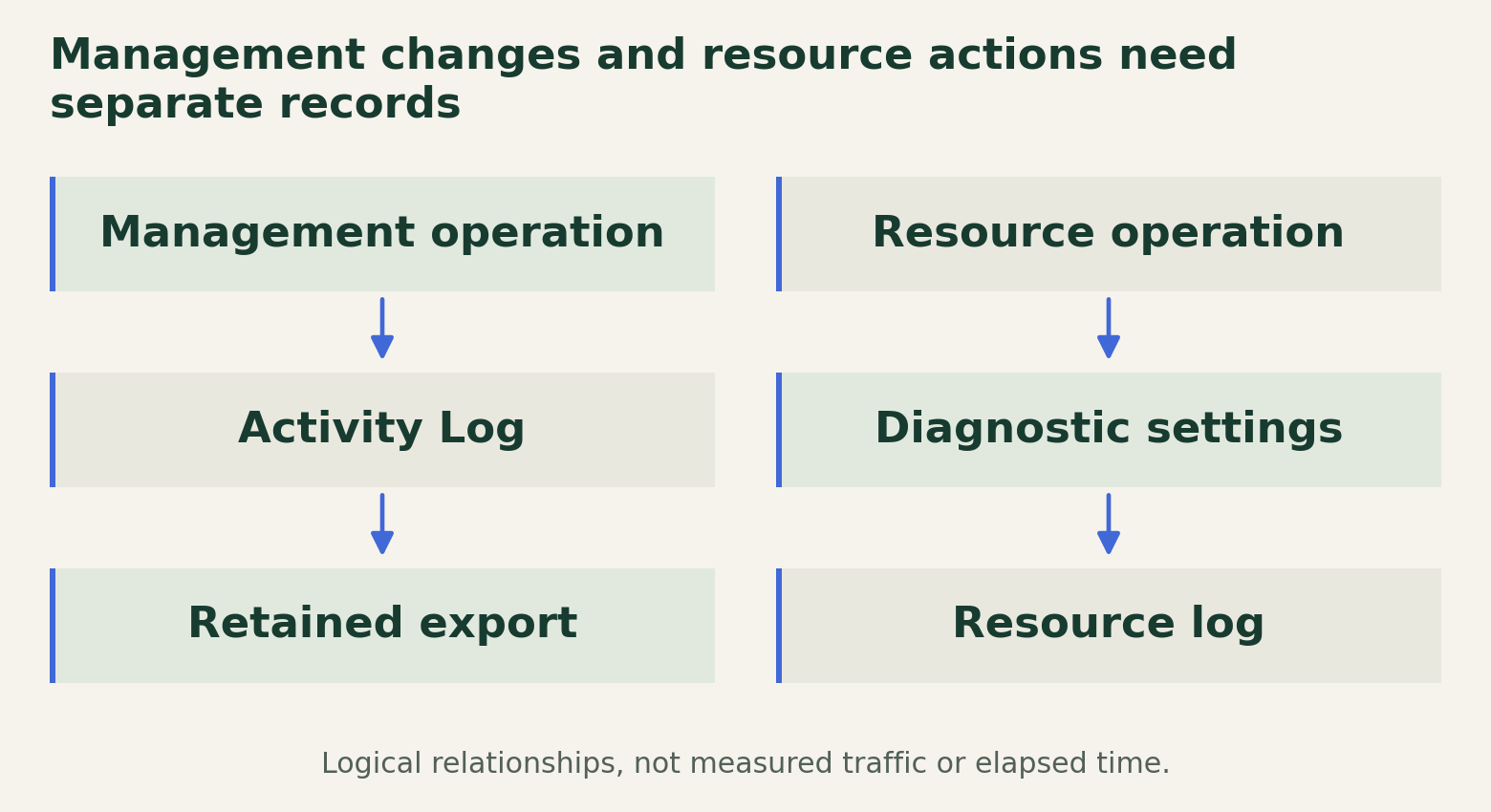
Management changes and resource actions need separate records
Management history, resource activity, retained exports and alert delivery require separate evidence paths and receipts.

Source. Primary documentation [1] [2] [3] [4] [5] [6]. Accessed August 28, 2026.
Method. Original two-path schematic synthesized from Microsoft documentation. The documented 90-day period applies only to native Activity Log retention. Export retention and cross-service relationships require separate verification.
Accessible table and figure data
| Evidence family | Collection decision | Question answered |
|---|---|---|
| Activity Log | Automatic native collection | What management operation was attempted and how did it end? |
| Resource logs | Per-resource settings and service prerequisites | What happened inside the resource? |
| Exported copy | Destination, schema and retention | Can the record be retrieved after the native window? |
| Alert receipt | Scope, condition and tested delivery | Did the designated responder receive the change signal? |
| Cost record | Category and destination review | Which export and storage charges may apply? |
| Evidence family | Collection decision | Question answered |
|---|---|---|
| Activity Log | Automatic native collection | What management operation was attempted and how did it end? |
| Resource logs | Per-resource settings and service prerequisites | What happened inside the resource? |
| Exported copy | Destination, schema and retention | Can the record be retrieved after the native window? |
| Alert receipt | Scope, condition and tested delivery | Did the designated responder receive the change signal? |
| Cost record | Category and destination review | Which export and storage charges may apply? |
Add the resource evidence the question requires
Azure resource logs describe operations within supported resources and are not automatically collected into a destination merely because Activity Log exists. Microsoft documents resource-specific categories and collection through diagnostic settings. The evidence needed for a data-plane question depends on the service and operation, not only on the subscription's management history. [4]
Diagnostic settings select categories and destinations for a resource. Microsoft documents category groups such as allLogs and audit where supported, as well as service prerequisites. Selecting an SQL audit category in a diagnostic setting, for example, does not by itself enable the underlying SQL auditing feature. The service's own configuration remains part of the review. [3]
Create a collection row for each resource involved in the question. Record the service feature that generates the event, the category selected, the destination and the owner. If a service does not provide the desired event, state the limitation. Do not replace it with a management event that merely proves someone changed a setting.
Design the export and retention path
Choose a destination based on the intended investigation and retention process, then document its access and storage controls. The exported copy has a separate lifecycle from the native Activity Log. A requirement to investigate an older change needs evidence that the chosen destination retained the relevant record, not simply evidence that export was enabled at some later date.
Microsoft's diagnostic guidance distinguishes resource-specific tables from the legacy AzureDiagnostics approach where applicable. The selected destination and table mode affect how exported records are queried. Review the actual schema before reusing a query from another resource or workspace, and keep the query's assumptions in the evidence notes. [3]
An acceptance exercise should generate an authorized harmless change, find its management record and retrieve the expected exported record. If resource behavior matters, retrieve that record separately. Preserve the identifiers that connect the exercise to the evidence. A successful query for an older unrelated event does not validate the newly configured resource path.
Keep a version of the destination and query configuration with the receipt. If the team later changes workspace, table mode or retention, repeat the retrieval check against the new path rather than assuming that the previous receipt transfers. A past test supports the configuration it exercised, not every future export arrangement.
Alert on the changes that affect evidence
Azure supports Activity Log alert rules with a selected scope and conditions, connected to an action group for notification or action. Microsoft's procedure explains creation of the rule and its delivery configuration. The existence of those objects establishes a configured path, not proof that the designated responder received a particular change signal. [5]
Select changes that threaten the evidence contract, such as modifications to relevant collection settings or resource configurations. Keep the rule scope and expected event condition reviewable. A rule aimed at the wrong subscription or operation can be syntactically valid while answering a different monitoring question.
Test delivery through the approved responder path and retain the receipt, event identifier and observation time. Distinguish alert evaluation from delivery and human acknowledgement. If the team requires an on-call response, a successful delivery to an unused destination is not the operational result being sought. Record the owner who maintains the destination and the condition that triggers another delivery test.
Budget and verify the evidence record
Microsoft documents a June 15, 2026 expansion of platform-log export charges to additional resource types, subject to category and destination. Activity Log export is excluded from that charge. [6] Activity Log ingestion into Log Analytics also has a documented exemption, while extended retention and other destination costs still need review. [1] These exclusions should not be summarized as a promise that every Activity Log evidence arrangement is free.
Review costs using the actual categories, destinations and retention requirements. Keep the financial decision separate from the security claim: paying for a destination does not establish complete collection, and removing an export cost does not make an evidence gap acceptable automatically. If cost changes the scope, record the investigation questions that will no longer be supported.
Maintain a compact evidence register linking the resource, management event, resource-log category, destination, retained window and alert owner. Attach the retrieval and delivery receipts from authorized checks, with unresolved gaps left visible. When a later incident reaches beyond the native portal window, that register should tell the investigator where to look, what can still be recovered and which conclusion the surviving records can support.
Method and provenance
Documentation review and original operational analysis using the cited primary sources, checked on August 28, 2026. The editorial date places the article in the retrospective series; publication and source review occurred in August 2026.
No subscription, diagnostic setting, export or alert was inspected. Native retention is not a policy recommendation. The billing discussion describes published category rules, not an estimate for a particular account. No empirical tests were performed for this article.
AI assistance. Researched, drafted and checked against cited sources with AI assistance. No independent human editorial review or original empirical testing is claimed.
Published under the Cloud Security Desk organizational byline. Read the series policy.
References
- Activity Log in Azure Monitor Microsoft. Accessed .
- Azure Activity Log event schema Microsoft. Accessed .
- Diagnostic settings in Azure Monitor Microsoft. Accessed .
- Resource logs in Azure Monitor Microsoft. Accessed .
- Create or edit an activity log, service health, or resource health alert rule Microsoft. Accessed .
- Diagnostic settings FAQ Microsoft. Accessed .